IT and Technical Solutions for Small and Mid-sized Businesses
Forget the Geeks, Call the Pros!
305.407.3523 e-mail at Support@TechGeniuses.com text TechGeniuses to 72727
How to open a Google Document
1. Open a web browser and go to www.Google.com
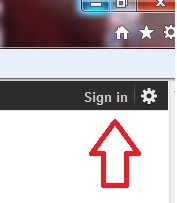
2. At the top right corner you will be prompted to “sign in”, as shown in figure 1
3. Enter your user name, which will be an email address, and your password
NOTE: If you do not have a Google Account you can create one from that screen
4. The top right corner will now have your user name displayed
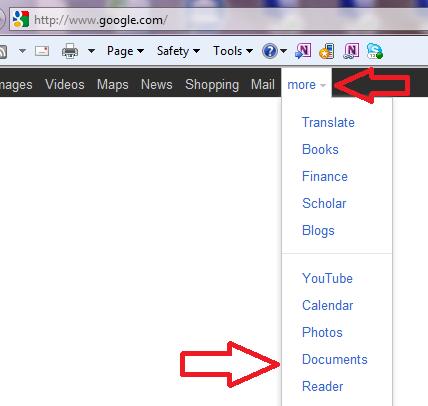
5. In the top ‘black bar’ you will see “more” with a little down arrow”
6. Click that and a menu will drop down as shown in figure 2
7. Click “Documents”, also shown in figure 2
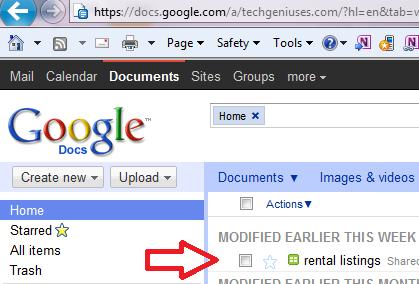
8. A screen will come up with your “Google Documents” listed as well as some other information such as when they
were modified.
In figure 3 there is a document called
“rental listings”. The indicates that it is a
spreadsheet.
9. Click on the document
10. A new window will open with your document